
2FA is needed to ensure a secure portal for Metro and all users. With that we can enable a multitude of options together with you.
We have a very clear requirement set from Metro Security side which requested this approach and beyond that is currently not allowing it to send the 2nd factor by mail.
Currently we have 3 options available with or without the use of a mobile phone (which in case of usage of course can also be a private one).
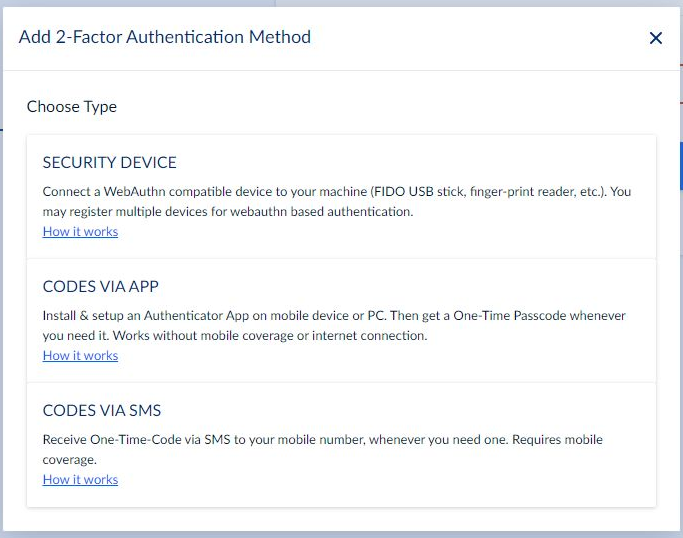
What does each mean?
Security device = FIDO/U2F security stick
Codes via app = Authenticator app on smartphone or PC or add-on for browser
Codes via SMS = SMS is sent
What comes next?
Security device
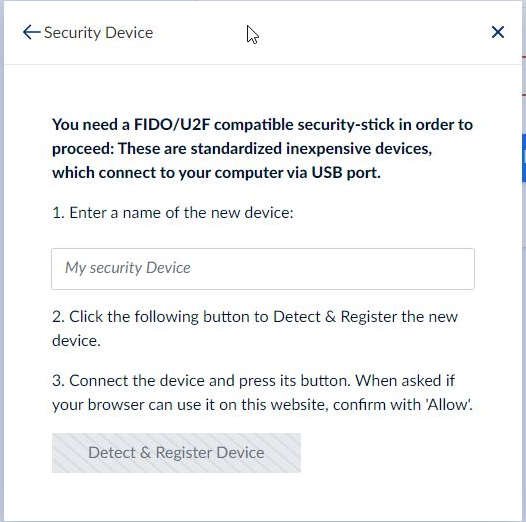
The security stick is a USB stick and has to be entered into a free USB port of the computer.
You have to enter any name in the box saying ‘My security device’ and after connecting the stick with the computer you need to ‘activate’ the stick by using you finger with the fingerprint scanner of the stick. That’s all
Codes via app
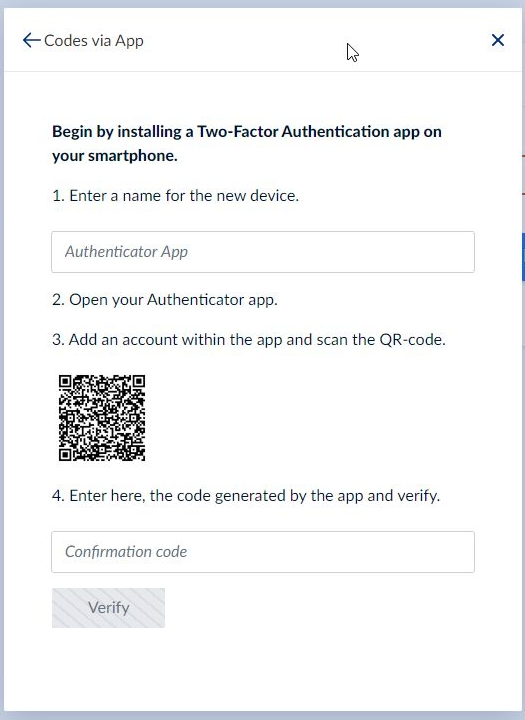
Here it depends which version you use but for all you simply have set any name in the box ‘Authenticator App’ and scan the QR code
If you don't enter an name for the device and overwrite the entry 'Authenticator App' you will always get an invalid code error even if you ensured to enter the correct current code from the app.
Codes via SMS
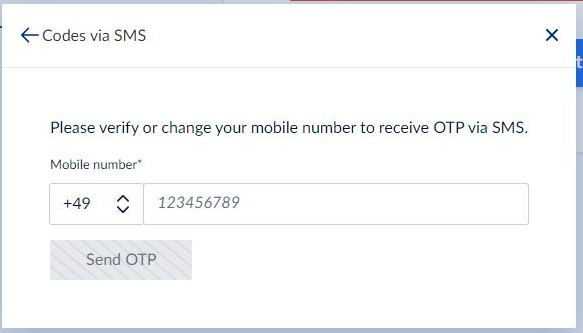
Simply enter you country code followed by your mobile phone number (without leading zero)