
When your colleague has set up that you would be their delegate and the time period has started, you will see following popup when you log in into OBDM:
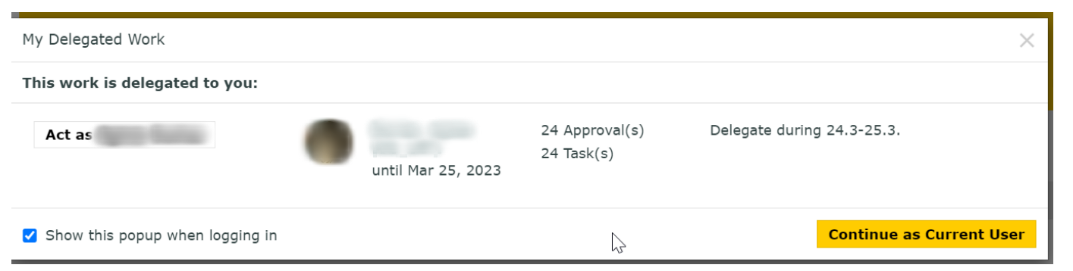
You can decide to work as if you were the delegator by clicking on “Act as ….”.
If you prefer to do your own tasks, you click on “Continue as Current User”.
If you choose to work as delegate, you will find a reminder about it directly below the menu:

The checkbox icon with a red number beside the home icon will bring you back to this page so you can act as your colleague whenever you want.

The delegate actions are tracked in OBDM at many different places: Project History, Document Actions History, Task Execution, Task Details pages.
If a colleague is already absent and you should be their delegate but they couldn’t set up the delegation, you can request this from the support at obdm@sourcingsupport.de